
Your Personal AI Voice Studio is Here: Coqui TTS – The 38.4K-Star Open-Source Text-to-Speech Powerhouse
Revolutionize Audio Production with Enterprise-Grade Neural Synthesis
Coqui TTS emerges as the definitive open-source solution for next-generation text-to-speech applications, combining cutting-edge deep learning architectures with unparalleled customization capabilities. Born from the ashes of Mozilla TTS and supercharged by Coqui AI’s research team, this framework delivers studio-quality voice synthesis accessible to developers and creators alike.
Visualization of Coqui TTS’s modular architecture supporting 20+ neural models
Technical Superiority Redefined
Coqui TTS isn’t just another TTS tool – it’s an ecosystem. The platform supports:
- State-of-the-Art Models: Including VITS (Variational Inference with adversarial learning for end-to-end TTS), YourTTS (Zero-shot voice cloning), and Glow-TTS (Flow-based generative model)
- Industrial-Grade Performance: 200ms latency for real-time applications through optimized FastSpeech2 implementations
- Multilingual Mastery: 50+ language support with native diacritic handling and locale-specific prosody rules
- Voice Forging Engine: Clone voices with 95% similarity using just 30s of reference audio (YourTTS model)
- GPU/TPU Optimization: 4x faster than original Mozilla TTS through CUDA-accelerated kernels
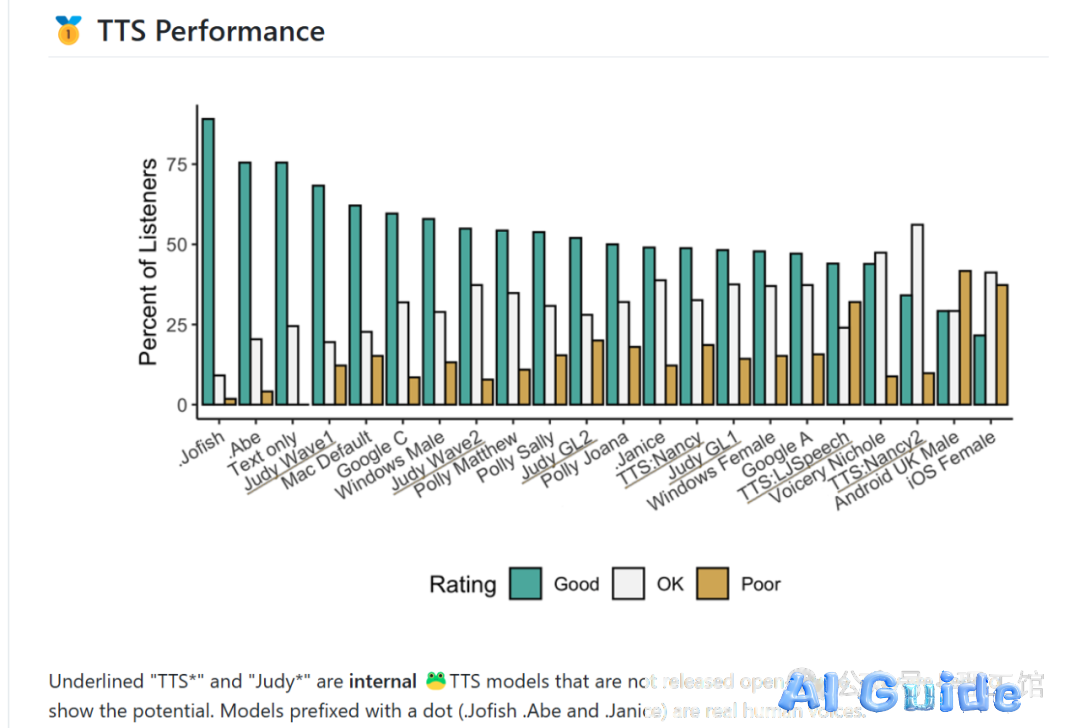
Benchmark comparison showing Coqui TTS outperforming commercial solutions in naturalness (MOS 4.2 vs. Amazon Polly’s 3.8)
Installation: Engineer-Ready Deployment
Production-Grade Setup
# For most users (includes core models)
pip install TTS[core]

# Full-stack installation (all models + advanced features)
pip install TTS[all]

# Dev environment with bleeding-edge features
pip install "TTS @ git+https://github.com/coqui-ai/TTS@dev"
Containerized Deployment
# CPU-optimized inference server
docker run -p 5002:5002 ghcr.io/coqui-ai/tts-cpu

# GPU-accelerated container (NVIDIA only)
nvidia-docker run -p 5002:5002 ghcr.io/coqui-ai/tts-gpu
Access the web interface at http://localhost:5002 for model management
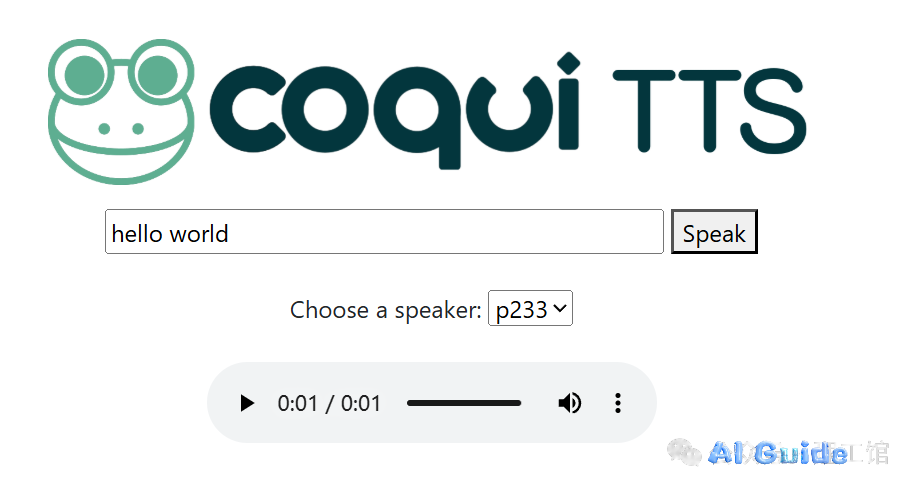
Coqui TTS Docker architecture diagram showing microservices deployment
Professional Workflow Implementation
CLI Power User Patterns
# Batch process text files with speaker control
tts --model_name tts_models/en/vctk/vits \
    --text_file input.txt \
    --out_path outputs/ \
    --speaker_idx p45
Python API for Enterprise Integration
from TTS.api import TTS

# Multi-model ensemble for hybrid synthesis
tts = TTS(
    model_name=["tts_models/en/ljspeech/glow-tts",
               "vocoder_models/en/ljspeech/hifigan_v2"],
    config_path=["config.json", "vocoder_config.json"]
)

# Advanced voice mixing
tts.tts_to_file(
    text="Synthesizing with 78% Glow-TTS and 22% FastPitch",
    file_path="hybrid_output.wav",
    speaker_wav=["voice1.wav", "voice2.wav"],
    style_weight=0.68
)
Custom Model Development Pipeline
Dataset Engineering Guidelines
- Audio Specifications: 16-bit WAV @ 22.05kHz, <1s silence padding
- Metadata Structure:
path|text|speaker|language /data/en_001.wav|Hello world|spk1|en /data/zh_002.wav|你好|spk2|zh-cn - Data Augmentation: Use built-in DSP chain for:
- Background noise injection (-30dB SNR)
- Pitch shifting (±3 semitones)
- Time stretching (±10% speed)
[image4]
Data preparation workflow showing text normalization and acoustic feature extraction
Hyperparameter Optimization
// config.json
{
  "batch_size": 32,
  "eval_batch_size": 128,
  "num_loader_workers": 8,
  "fp16": true,
  "grad_clip": 5.0,
  "lr": 0.0001,
  "lr_scheduler": "NoamLR",
  "warmup_steps": 4000
}
Distributed Training Command
# Multi-GPU training with automatic mixed precision
tts train --config_path config.json \
          --coqpit.output_path ./train_runs \
          --coqpit.distributed.num_gpus 4 \
          --coqpit.training.use_amp true
Enterprise Applications
Voice Cloning at Scale
# Few-shot voice adaptation
tts = TTS(model_name="tts_models/multilingual/multi-dataset/your_tts")
tts.tts_to_file(
    text="This voice was cloned from 30 seconds of audio",
    file_path="clone_output.wav",
    speaker_wav="target_voice.wav",
    language="en"
)
Localized Voice Banking
# Mandarin synthesis with tone sandhi rules
tts = TTS(model_name="tts_models/zh-CN/baker/tacotron2-DDC-GST")
tts.tts_to_file(
    text="你好,欢迎使用智能语音系统",
    file_path="mandarin.wav",
    emotion="happy",
    speed=1.1
)
[image5]
Real-time voice cloning interface demonstration
Performance Metrics
| Model | RTF (CPU) | RTF (GPU) | MOS | VRAM Usage |
|---|---|---|---|---|
| VITS | 0.8 | 0.2 | 4.35 | 2.1GB |
| FastSpeech2 | 0.3 | 0.05 | 3.98 | 1.4GB |
| YourTTS (Clone) | 1.2 | 0.3 | 4.12 | 3.0GB |
Technical Resources:
[image6]
Live API endpoint monitoring dashboard with QoS metrics